

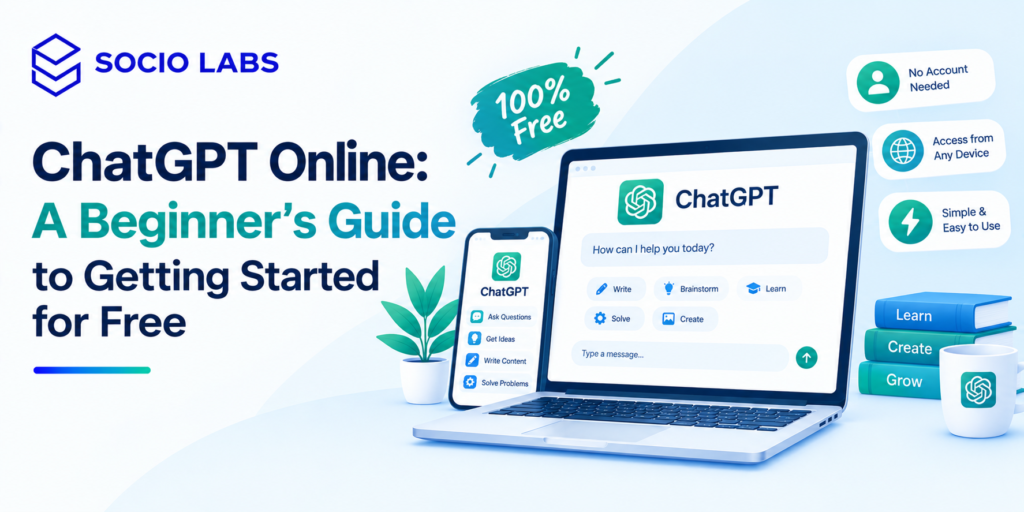
Using ChatGPT online for the first time can feel oddly intimidating for something that’s just a text box what do you actually type? Do you need an account? Is it really free? This guide answers all of that directly, walking through exactly how to access ChatGPT, ask your first question, and start getting genuinely useful answers, even if you’ve never used an AI chatbot before.
Our team at SocioLabs uses AI tools like this daily in content and marketing work, so this isn’t theoretical it’s the same practical starting point we’d walk a beginner through in person.
What Is ChatGPT Online?
ChatGPT online refers to accessing OpenAI’s AI chatbot directly through a web browser at chatgpt.com, rather than through a mobile app letting you type questions or requests and get conversational, natural-language responses back.
Unlike a search engine, ChatGPT doesn’t hand you a list of links to click through. You ask something in plain language, and it generates a direct response based on your specific question, which you can then follow up on, clarify, or ask it to adjust the way you’d continue a conversation with a person, not restart a new search.
For beginners, this matters because there’s no special syntax or command structure to learn. If you can type a normal question, you already know the basic skill needed to start.
How to Use ChatGPT Online for Free
To use ChatGPT online for free, go to chatgpt.com in your browser, sign up or log in with an email or existing account, and start typing your question directly into the message box no special setup required beyond a working account.
Step 1: Go to the Official Website
Open chatgpt.com in any browser. Avoid third-party sites claiming to offer “free ChatGPT access” always use OpenAI’s official site to avoid scams or unreliable tools.
Step 2: Sign In or Create an Account
You’ll typically need an account to use ChatGPT, usually set up quickly with an email address or an existing account from another service. Account requirements can shift over time, so follow whatever the site currently prompts you through.
Step 3: Start a New Conversation
Once logged in, you’ll see a message box, usually with an option to start a new chat. This is where you type your question or request.
Step 4: Enter Your Question or Prompt
Type what you want to know or accomplish a question, a task, or a request for help with something specific. The more clearly you describe what you need, the better the response tends to be.
Step 5: Review the Response
Read through what ChatGPT generates. It won’t always be perfect on the first try, and that’s expected, not a failure on your part.
Step 6: Ask Follow-Up Questions
If something’s unclear, incomplete, or not quite what you wanted, just ask again in the same conversation ChatGPT remembers the context of what you’ve already discussed.
Step 7: Refine the Response
Ask it to shorten, expand, change the tone, or adjust the format until you get something genuinely useful. This back-and-forth refinement is normal and often produces much better results than the first response alone.
Interface details (button placement, menu layout) can vary as OpenAI updates the product, so don’t worry if what you see looks slightly different from a screenshot you found elsewhere the core steps above stay consistent.
What Can Beginners Use ChatGPT For?
Beginners can use ChatGPT for learning new topics, drafting and editing writing, brainstorming ideas, getting help with basic coding questions, and general research support genuinely useful across both everyday tasks and work-related ones.
Beginner Need | How ChatGPT Can Help | What to Check |
Learning | Explanations and examples at your level | Accuracy, especially on specifics |
Writing | Drafts, rewrites, tone adjustments | Facts and tone match your intent |
Research | Summaries and starting points for topics | Verify against original sources |
Marketing | Content ideas, draft copy | Brand voice and factual accuracy |
Coding | Explanations, sample code, debugging help | Actually test the code before using it |
A student might use it to explain a confusing concept in simpler terms. A freelancer might use it to draft a client email faster. A small business owner might use it to brainstorm five content ideas for the week. None of this requires technical skill just clear, specific questions.
How to Write Better ChatGPT Prompts
Better ChatGPT prompts come from giving clear context and a specific goal vague requests produce vague, generic answers, while specific ones produce genuinely useful results.
- Give context: explain your situation, not just your question
- State your goal: what you actually want to accomplish
- Specify format: ask for bullet points, a table, a certain length
- Give an example: show the style or structure you’re looking for
Vague: “Explain SEO.” Better: “Explain SEO in simple language, as if teaching a small business owner with no technical background, in under 150 words.”
Vague: “Write me a schedule.” Better: “Create a weekly study schedule for someone preparing for a school exam in 3 weeks, studying 2 hours a day on weekdays and 4 hours on weekends.”
Vague: “Fix this email.” Better: “Rewrite this email to sound more professional and concise, keeping the same core message: [paste your email].”
Vague: “Give me blog ideas.” Better: “Give me five blog post ideas about digital marketing for small business owners who are new to online advertising.”
Vague: “Summarize this.” Better: “Summarize this paragraph in simple words a 12-year-old could understand: [paste text].”
Starting with a specific, detailed prompt saves you the extra step of correcting a vague response later.
Is ChatGPT Free to Use Online?
Yes ChatGPT online offers free access with a working account, though the free tier comes with usage limits and doesn’t include every feature or the most advanced model options available on paid plans.
“Free” here means you can genuinely use ChatGPT online without paying anything for a meaningful range of everyday tasks asking questions, getting writing help, brainstorming, and general research. It doesn’t mean every single feature, tool, or the highest-capability model is unlocked at no cost; some advanced capabilities and higher usage volumes are reserved for paid plans.
Because exact limits and plan details can change, check OpenAI’s own current pricing page if you want precise, up-to-date numbers rather than relying on older articles this is a detail worth verifying directly rather than assuming a fixed rule that never changes.
Common Mistakes Beginners Should Avoid
The most common beginner mistakes are asking overly vague questions, assuming every response is automatically correct, and giving no context about what the answer is actually for.
- Asking extremely vague questions → Be specific about what you want and why
- Assuming every response is factually correct → Verify anything important before relying on it
- Sharing sensitive personal information → Avoid pasting private financial, medical, or confidential business details
- Giving no context → Explain your situation, not just a bare question
- Accepting the first answer without reviewing it → Read critically, ask follow-ups if something seems off
- Using outdated information without verification → Cross-check anything time-sensitive
- Asking for overly complicated tasks in one prompt → Break big requests into smaller steps
- Not specifying a desired format → Ask directly for bullets, a table, or a specific length if that’s what you need
ChatGPT Online Safety and Privacy Tips
Using ChatGPT online safely means avoiding sharing sensitive personal or confidential information in your prompts, verifying important facts independently, and treating AI-generated output as a helpful draft rather than a final, guaranteed-accurate answer.
Anything you type into a prompt shouldn’t include things you wouldn’t want stored or potentially reviewed passwords, financial account details, or sensitive personal identifiers. For anything decision-critical medical, legal, financial treat ChatGPT’s response as a starting point for research, not a substitute for a qualified professional.
Businesses exploring AI tools more broadly might also look into AI SEO services, since responsible AI use extends beyond individual prompts into how a business structures its overall content and data practices.
Conclusion
Getting started with ChatGPT online really is as simple as visiting the site, signing in, and typing your first question the learning curve is mostly about writing clearer prompts, not mastering complicated technical steps. Start small, ask follow-up questions to refine what you get back, and always double-check anything that actually matters before relying on it. If you’re exploring how AI fits into a broader content or marketing strategy, explore more practical resources from SocioLabs.
FAQs
ChatGPT online refers to using OpenAI's AI chatbot through a web browser at chatgpt.com, letting you ask questions and get conversational responses without needing a separate app.
Yes ChatGPT online offers free access for a meaningful range of everyday tasks, though some advanced features and higher usage limits are reserved for paid plans.
Go to chatgpt.com, sign in or create an account, and type your question or request directly into the message box to get started.
Generally yes an account, typically set up with an email address, is needed to access ChatGPT and save your conversation history.
It's generally safe for everyday use, but avoid sharing sensitive personal or financial information in your prompts, and verify important facts independently.