

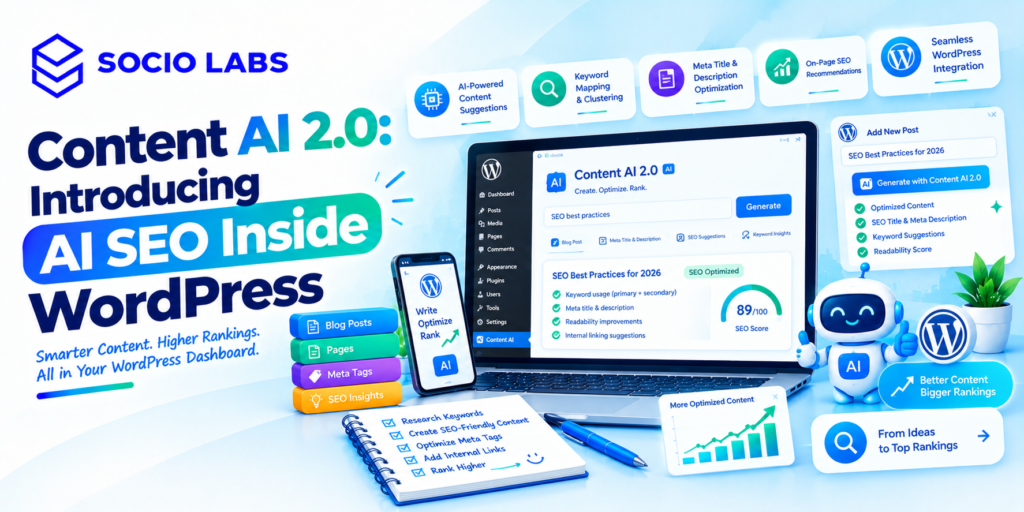
Writing content that actually ranks takes real time research, outlining, drafting, and optimizing all add up, often before a single word reaches a reader. Rank Math’s Content AI 2.0 is built to compress that process by putting AI writing and SEO tools directly inside the WordPress editor, rather than requiring a separate app and a lot of copy-pasting. This guide breaks down exactly what Content AI 2.0 offers its writing tools, RankBot assistant, meta tag automation, and content-fixing features and what’s worth knowing before relying on it for real publishing work. Along the way, we’ll reference how an agency such as SocioLabs evaluates tools like this within a client’s broader content workflow.
What Is Content AI 2.0?
Content AI 2.0 is Rank Math’s rebuilt AI writing and SEO suite for WordPress, combining over 40 AI tools, a conversational assistant, and automated content-fixing features into the WordPress editor directly.
Rank Math describes it as rebuilt from the ground up to revolutionize how users write within WordPress, aiming to let publishers optimize content for SEO more effectively than before. The core idea is consolidation: rather than brainstorming topics in one tool, researching in another, drafting in a third, and optimizing meta tags in a fourth, Content AI brings each of those steps into the same editor where the content will ultimately be published
How Does Content AI Work Inside WordPress?
Content AI works by integrating directly into WordPress’s existing editors Block Editor, Classic Editor, Elementor, and Divi or through a dedicated Content Editor interface, activated with a simple in-editor command.
Inside the editor, typing “//” invokes the AI assistant and its full set of tools, letting a user command it without leaving the writing interface. This matters practically because it removes the friction of switching contexts a writer doesn’t need to tab out to a separate AI chat window, generate content, then paste and reformat it back into WordPress; the suggestions and generation happen in place.
What Writing Tools Does Content AI Include?
Content AI includes a sequence of tools covering the early stages of content creation generating topic ideas, researching those topics in depth, and structuring the research into an outline before any full drafting begins.
The Blog Post Idea tool generates relevant ideas when a user isn’t sure where to start, the Topic Research tool then allows deeper research into a chosen subject, and the Blog Post Outline tool turns that researched data into a clear, logical structure for the piece. Rank Math states the suite includes over 40 AI writing tools in total, designed to assist at every step of the content creation workflow, extending beyond this initial ideation-to-outline sequence into drafting and refinement tools as well.
This staged structure idea, research, outline, draft mirrors how a human writer typically approaches a piece, which is likely why it reduces the “blank page” problem more effectively than a single generic prompt box would.
What Is Write Mode?
Write mode is Content AI’s more automated drafting feature, letting the AI generate content with less manual, tool-by-tool guidance once activated within the Content Editor.
Rank Math describes switching to the Write tab and using the shortcut Ctrl + / to let Content AI handle drafting more automatically, functioning as something closer to an autopilot mode for writing compared to using the individual AI tools one at a time. This represents the more hands-off end of the tool’s spectrum useful for quickly producing a full first draft, though content generated this way likely benefits from more thorough human editing than content built more deliberately through the individual research and outline tools first.
What Is RankBot?
RankBot is a conversational AI assistant built into Content AI, designed to answer topic-related questions and help with research directly inside the WordPress editor.
Described as a personal AI assistant within the WordPress Editor, RankBot answers prompts related to a given topic and provides relevant, reliable answers to support research and insight-gathering. Users can save and reuse their own prompts, or draw from a library of more than 125 expert-written prompts built for different niches and purposes, which is useful for teams wanting consistent, tested prompts rather than everyone writing ad-hoc queries from scratch.
As with any AI-generated research assistant, treating RankBot’s answers as a starting point for verification rather than an authoritative final source remains the safer approach, particularly for factual claims that will appear in published content.
How Does Content AI Handle SEO Meta Tags at Scale?
Content AI generates SEO meta tags titles and descriptions directly within the Rank Math meta box, and can also generate them in bulk across many articles at once through a single action.
Beyond generating tags for one article at a time, Rank Math states Content AI can scale up to generate meta tags for hundreds of articles in one click, by selecting the relevant posts and using the bulk action feature. This bulk capability is likely the single most time-saving feature for sites with a large backlog of older content missing optimized titles and descriptions a task that would otherwise require manually rewriting each one.
Because this runs across many pages simultaneously without individual review during generation, spot-checking a sample of the output afterward is a reasonable safeguard before considering the batch complete.
How Does Content AI Fix Failed SEO Tests?
Content AI includes a “Fix with AI” feature that appears next to failed SEO tests inside the Rank Math meta box, allowing certain flagged issues to be resolved automatically with a single click.
Rank Math positions this as addressing the overwhelm of juggling multiple manual SEO recommendations when a test fails during editing, a Fix with AI button marked with the Content AI logo appears, resolving the issue automatically when clicked. This is useful for mechanical, checklist-style SEO issues (missing alt text, keyword density, title length), though it’s worth understanding that passing an internal plugin test isn’t the same as confirming the content reads naturally or genuinely serves the reader a quick manual look after applying automated fixes is still a sensible habit.
What Else Can Content AI Be Used For?
Beyond blog posts, Content AI extends to broader marketing writing tasks headlines, ad copy, and social media captions positioning it as a general content tool rather than one limited strictly to long-form blog writing.
Rank Math describes it as an all-in-one writing solution for marketing activities, capable of helping with captivating headlines, persuasive copy, and engaging social media posts, citing an Instagram caption tool as one specific example. For teams already producing content across multiple formats, having one consolidated AI tool rather than separate tools for blogs, ads, and social captions can simplify the toolkit though each format still benefits from platform-specific review, since what works for a blog headline doesn’t automatically translate to an effective social caption.
What Should You Verify Before Relying on It?
Before relying on Content AI or any similar embedded AI SEO tool for real publishing work, verify factual accuracy of generated content, check that bulk-generated meta tags actually fit each individual page’s context, and confirm brand voice consistency across AI-assisted drafts.
Other things worth checking include whether “fixed” SEO tests still read naturally to a human after the automated fix is applied, whether RankBot’s research answers are independently verifiable rather than taken at face value, and how the tool’s output compares across a few different topics or content types before rolling it out across your full publishing workflow. Running a small pilot a handful of posts or a partial batch of meta tags before committing to full-scale use is a reasonable way to build confidence in the tool’s fit for your specific content before depending on it broadly.
Conclusion
Content AI 2.0 brings a genuinely useful set of AI tools directly into the WordPress publishing workflow particularly strong for ideation, research structuring, and bulk meta tag generation across large content libraries. Its automated fixes and Write mode add real speed, but as with any AI writing tool, the output still benefits from human review before publishing, especially for factual accuracy and brand voice. A small pilot test is the most reliable way to see how well it fits your specific content needs.
Want help building a content workflow that uses AI tools like this effectively without sacrificing quality? Explore SEO services from SocioLabs and see how a structured, review-first approach to AI-assisted content could work for your website.
FAQs
It’s Rank Math’s AI writing and SEO suite built directly into WordPress, offering over 40 tools for content ideation, research, outlining, drafting, and on-page optimization within the editor.
It works within WordPress’s Block Editor, Classic Editor, Elementor, and Divi, or through a dedicated Content Editor, typically activated by typing a command like “//” within the editor.
RankBot is Content AI’s built-in conversational assistant, designed to answer topic-related research questions directly inside the WordPress editor, with access to a library of expert-written prompts.
Yes it includes a bulk action that can generate meta tags for hundreds of articles in a single click, useful for sites with a large backlog of unoptimized older content.
It appears next to failed SEO tests in the Rank Math meta box and automatically resolves certain flagged issues with a single click, addressing mechanical, checklist-style SEO problems.