
A potential customer opens ChatGPT and asks, “Which company offers the best service for my needs?”
ChatGPT may suggest businesses, explain their services and share website links. But what happens if your business information is missing or outdated?
You could lose a chance to reach someone who is already looking for a service like yours.
OpenAI introduced ChatGPT Business Hub on November 10, 2026, to give eligible businesses more control over the information they share through ChatGPT.
Business owners can now claim their business, update important details and understand how people are finding them through the platform.
But does registration help you attract customers? Is ChatGPT Business Hub free? And how can you get started?
This guide explains the features, registration process, benefits and limitations in simple terms.
What Is ChatGPT Business Hub?
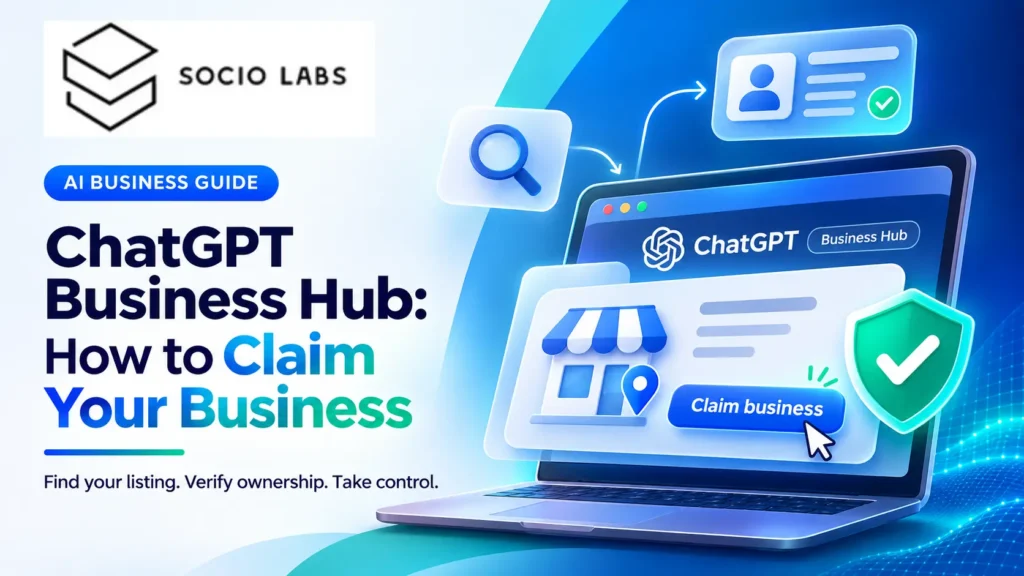
ChatGPT Business Hub is a business management tool introduced by OpenAI. It allows eligible business owners to claim and manage their business profiles inside ChatGPT.
Think of it as a place where you can provide accurate business information and see some of the ways people interact with your brand through ChatGPT.
Once your business claim and required identity checks are approved, you can use Business Hub to:
- Update important business information.
- Share details about your products and services.
- Add product information, including prices and availability, where supported.
- See how often ChatGPT mentions or links to your business.
- Track clicks from ChatGPT to your website.
- Explore common topics linked to your business.
- Set up a Business Agent if your company meets the requirements.
The tool is currently in beta, which means some features are still limited and may change.
Why ChatGPT Business Hub Matters for Businesses
Customers are starting to use AI tools to research businesses before making decisions.
For example, someone planning to buy office furniture might ask ChatGPT to compare suppliers, explain product differences or recommend companies that offer delivery.
Another person might ask which digital marketing agency provides services for an online store.
In both cases, the customer is looking for useful information before contacting a business.
Your Business Information Needs to Be Accurate
Suppose your company has changed its website address or introduced a new service.
If ChatGPT uses old information, customers may receive an incomplete picture of what you offer.
Business Hub gives verified businesses a way to share updated information. OpenAI reviews these changes before publishing them.
You Can Better Understand Your Visibility
Many businesses already measure their Google rankings and website traffic.
But they may not know how often ChatGPT refers people to their website.
Business Hub introduces insights that can help answer part of that question.
This is useful for companies investing in AI search engine optimization, which focuses on helping businesses make their information easier for AI search tools to find and understand.
What Are the Main Features of ChatGPT Business Hub?
The platform offers several tools to help businesses manage their information and understand customer interest.
1. Claim and Manage Your Business Profile
The first step is claiming your business.
Once your claim and identity verification are approved, you can manage details such as your business description, website, category and logo.
Depending on your business type, you may also be able to add product information, delivery details or return policies.
Accurate information helps customers better understand what your company offers.
2. See How Often ChatGPT Mentions Your Business
Business Hub provides information about how often your business appears in certain ChatGPT results.
For online businesses, a recorded mention generally means ChatGPT has referenced the business website. Simply mentioning the brand name may not count.
The dashboard also shows website clicks and discovery topics.
Discovery topics are common themes linked to answers where your business appears.
For example, an online furniture retailer might find that its website is being referenced in conversations about office chairs or home furniture.
These insights can help the company understand which areas of its business are receiving attention.
3. Share Product Information
Online retailers can provide product feeds through supported methods.
A product feed is a file or connection that shares product details such as names, prices and availability.
For example, a clothing store may use a product feed to share the sizes, prices and stock details of its products.
This can help ChatGPT access more current product information.
Businesses using Shopify may also be able to connect their stores directly. Learn more about building and managing an online store through Shopify development services.
Adding products does not guarantee that ChatGPT will recommend them
4. Create a ChatGPT Business Agent
A Business Agent is an AI assistant that can answer questions using information supplied by a company.
For example, a customer might ask an online electronics store about product differences or return policies.
The Business Agent can explain the available options and direct the customer to the company’s website.
It is separate from ChatGPT’s normal answers, and customers choose whether to open it.
How to Register on ChatGPT Business Hub: Step-by-Step Guide
ChatGPT Business Hub registration involves claiming your business and proving that you are allowed to manage it.
Here is how to get started.
Step 1: Open ChatGPT Business Hub
Visit the official website:
https://chatgpt.com/business-hub
Sign in to your ChatGPT account. You can also look for Business Hub in the sidebar on the ChatGPT website.

Step 2: Search for Your Business
Enter your business name and look for a matching listing.
Select the correct business and confirm which ChatGPT account you want to use to manage it.
If your business does not appear, you may have an option to add it, depending on your business type and location.

Step 3: Verify That You Represent the Business
OpenAI may offer different methods to verify your connection to the company.
These can include:
- A code sent to your business phone.
- A code sent to your business email.
- A verification record added to your website domain.
- Connecting an eligible Shopify store.
Choose a method available for your listing and follow the instructions.

Step 4: Wait for Claim Approval
OpenAI reviews the claim and sends its decision by email.
If more information is needed, you may receive a request to provide additional details.
Approval times can vary.

Step 5: Complete Identity Verification
After your business claim is approved, you must complete identity verification through Persona to access key management features.
Persona is a verification service used to check identity and business ownership.
You may need a government-issued ID, business registration details or proof that you are authorized to represent the company.

Step 6: Update Your Business Information
Once the required checks are approved, open your business profile.
Review the information carefully and correct anything that is missing or outdated.
OpenAI reviews submitted changes before they appear publicly.

Step 7: Review Your Business Insights
Open the Insights section to see available information about your business’s activity in ChatGPT.
You can review mentions, website clicks and discovery topics.
For official setup instructions, read OpenAI’s Business Hub registration guide.

Is ChatGPT Business Hub Free?
OpenAI does not currently list a separate registration fee for claiming an eligible business through Business Hub.
You do not need to buy a ChatGPT Business team subscription, create an advertising account or sign an Enterprise agreement simply to submit an eligible business claim.
However, Business Hub should not be confused with the paid ChatGPT Business plan.
ChatGPT Business is a separate subscription for teams that want to use ChatGPT for their daily work.
Business Hub focuses on managing how a company is represented in ChatGPT.
Paid advertising and other business services may have separate costs.
Can Indian Businesses Use ChatGPT Business Hub?
Businesses in India may be able to claim eligible profiles through ChatGPT Business Hub.
OpenAI allows eligible businesses to claim profiles where ChatGPT is available and the required verification is supported.
However, access depends on the business category, location and verification options.
There are also important restrictions.
For example, local stores and restaurants can currently claim only existing listings in the United States. Business Agents are also limited to certain eligible U.S. businesses.
An Indian business should check the options shown in its own Business Hub account rather than assume every feature is available.
Conclusion
ChatGPT Business Hub helps eligible businesses manage their information and improve accuracy in AI-driven search. Claiming and verifying your business is a useful first step toward building a stronger online presence.
Want to make your business more discoverable in AI search? Explore SocioLabs’ AI SEO services or contact our team to get started.
Frequently Asked Questions
Visit ChatGPT Business Hub and sign in to your ChatGPT account. Search for your business, select the correct listing and follow the available verification steps. After your claim is approved, complete identity verification to access business management features.
OpenAI currently does not list a separate fee for claiming an eligible business through ChatGPT Business Hub. You do not need a paid ChatGPT Business subscription to submit a claim. However, optional services and advertising may have separate charges.
Verification requirements depend on your business and the available methods. You may need access to your business email, phone number or website domain. After claim approval, identity verification through Persona may require a government-issued ID, business registration details or proof that you represent the company.
Eligible Indian businesses may be able to claim their profiles through ChatGPT Business Hub. However, availability depends on business type, location and supported verification methods. Some features, including Business Agents, currently have U.S.-specific eligibility restrictions.
Registration allows eligible businesses to provide updated information and view available insights, including mentions and website clicks. However, it does not guarantee higher visibility, more recommendations or increased sales. Maintaining an informative website and accurate business details remains important.