
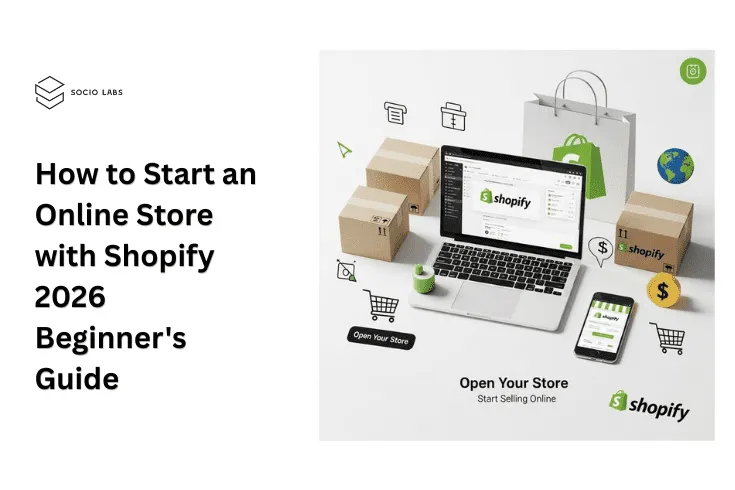
Starting an online store has never been more accessible — or more competitive. With global ecommerce sales projected to surpass $8.1 trillion by 2026, the window to stake your claim in the digital marketplace is wide open. But success starts with choosing the right platform.
Shopify powers over 4.6 million active stores across 175+ countries as of 2026, making it the most widely used hosted ecommerce platform in the world. Whether you’re a first-time entrepreneur, a local business going digital, or a creator looking to monetize your audience, Shopify provides an end-to-end solution without requiring any coding knowledge.
In this guide, you’ll learn exactly how to create a Shopify store from scratch — step by step — with insider tips to help you launch faster, smarter, and more profitably.
Before diving into the how-to, let’s look at why now is one of the best moments to launch:
- Indian ecommerce market is expected to reach $325 billion by 2030 (IBEF, 2025)
- Over 65% of online purchases in India now happen on mobile devices
- AI-powered storefronts are giving small sellers enterprise-level personalization
- Cross-border selling tools have made going global easier than ever
Shopify sits at the center of all these trends—with built-in AI tools, mobile-first themes, and multi-currency support that make it ideal for Indian entrepreneurs targeting both domestic and global markets.
What You Need Before You Start
|
Requirement |
Details |
|
Business Idea |
A product or niche to sell |
|
Email Address |
For account creation |
|
Payment Method |
Credit/debit card for subscription |
|
Business Name |
Or use Shopify’s free name generator |
|
Product Images |
Basic photos or sourced from supplier |
|
GST Number (India) |
Required for billing and tax compliance |
Pro Tip: You don’t need a registered business to start your Shopify free trial. But if you plan to accept payments in India, you’ll need a business bank account and GST registration.
Step-by-Step: How to Create a Shopify Store in 2026
Step 1: Start Your Free Trial
- Visit shopify.com and click “Start Free Trial”
- Shopify currently offers a ₹20/month for 3 months introductory deal (as of 2026)
- Enter your email, create a password, and name your store
- Answer a few onboarding questions about your business type
Step 2: Set Up Your Shopify Dashboard
Once inside your admin panel, you’ll see the core navigation:
- Home – Performance overview and tasks
- Orders – Manage incoming purchases
- Products – Add and organize your catalog
- Customers – CRM and contact data
- Analytics – Sales reports and insights
- Marketing – Campaigns and automation
- Apps – Extend functionality
Spend 10 minutes clicking through each section before building — it helps you understand the full ecosystem.
Step 3: Choose and Customize Your Theme
- Go to Online Store → Themes
- Browse free themes (Dawn, Craft, Sense, Crave) or paid options from the Shopify Theme Store
- Click Customize to open the drag-and-drop editor
- Edit: Header, Homepage sections, Footer, Colors, Typography
Best free themes for beginners in 2026:
- Dawn – Clean, fast, great for general stores
- Craft – Ideal for handmade/artisan products
- Crave – Perfect for food and beverage brands
Step 4: Add Your Products
Navigate to Products → Add Product and fill in:
- Title – Use your primary keyword naturally
- Description – Write benefit-driven copy (200–500 words minimum)
- Images – Add 3–5 high-quality photos; include alt text
- Pricing – Set compare-at price for discounts
- Inventory – Enter SKU and stock quantity
- Variants – Add size, color, or style options
- SEO Preview – Edit meta title and meta description
2026 Tip: Use Shopify Magic (built-in AI) to auto-generate product descriptions in seconds.
Step 5: Set Up Payments
- Go to Settings → Payments
- For Indian stores: Enable Razorpay, PayU, CCAvenue, or Cashfree
- Enable Shopify Payments if available in your region
- Set up Cash on Delivery (COD) — critical for Indian markets (COD accounts for ~50% of Indian ecommerce orders)
Step 6: Configure Shipping
- Navigate to Settings → Shipping and Delivery
- Set shipping zones (India domestic + international)
- Choose flat rate, free shipping, or carrier-calculated rates
- Integrate with Shiprocket, Delhivery, or Bluedart via Shopify apps
Step 7: Set Up Taxes
- Go to Settings → Taxes and Duties
- Enable GST for Indian transactions
- Shopify auto-calculates tax rates based on region
- Add your GSTIN for invoice compliance
Step 8: Connect a Custom Domain
- Go to Online Store → Domains
- Buy a domain directly from Shopify (starts at ~₹899/year) or connect an existing one from GoDaddy, Namecheap, etc.
- Enable SSL (free and automatic on Shopify)
Step 9: Install Essential Apps
At minimum, install:
- DSers or AutoDS – For dropshipping
- Klaviyo – Email marketing
- Judge.me – Product reviews
- Tidio – Live chat
(See our full guide: Must-Have Shopify Apps for Growth)
Step 10: Test and Launch
Before going live:
- Place a test order using Shopify’s Bogus Gateway
- Check all pages on mobile
- Verify checkout flow end-to-end
- Review all legal pages (Privacy Policy, Refund Policy, Terms of Service — Shopify generates these automatically)
- Remove password protection: Online Store → Preferences → Disable Password
Your store is live!
Post-Launch: What to Do in the First 30 Days
Week 1–2: Drive Initial Traffic
- Share your store on Instagram, WhatsApp Business, and Facebook
- Run a launch offer (10–15% off for first buyers)
- Set up Google Search Console and submit your sitemap
Week 3–4: Optimize for Conversions
- Install Microsoft Clarity or Hotjar for heatmaps
- A/B test your homepage headline
- Set up abandoned cart email sequences via Klaviyo
Ongoing: SEO and Content
- Start a blog on your Shopify store
- Target long-tail keywords relevant to your niche
- Build backlinks through guest posting and PR
Common Mistakes First-Time Shopify Store Owners Make
|
Mistake |
How to Avoid It |
|
Using a cluttered theme |
Stick to 1–2 fonts and a 3-color palette |
|
Skipping product SEO |
Always fill in meta titles, alt text, and descriptions |
|
Not setting up email capture |
Use a popup or footer form from Day 1 |
|
Ignoring mobile UX |
Test every change on a smartphone |
|
No clear return policy |
Publish it prominently—it builds trust |
Shopify in 2026: What's New?
- Shopify Sidekick – AI assistant that helps manage your store with natural language commands
- Shopify Markets Pro – Simplified cross-border selling with localized pricing and duties
- One-Page Checkout – Faster checkout reduces cart abandonment by up to 18%
- Shopify Collective – Sell other brands’ products directly from your store
- Hydrogen + Oxygen – Headless commerce stack for advanced stores
Conclusion
Starting a Shopify store in 2026 is genuinely one of the most accessible paths to building a sustainable online business. With AI-powered tools, seamless payment integrations for India, and an ever-growing app ecosystem, the platform handles the heavy lifting so you can focus on what matters—your products and your customers.
The steps are clear: sign up, customize, add products, configure payments and shipping, and launch. The rest is iteration, learning, and growth.
Ready to Launch Your Shopify Store?
Don’t wait for the “perfect moment”—your store can be live in under 24 hours.
Start Your Free Shopify Trial Today →
FAQs
How to create a Shopify store as a beginner in 2026?
To create a Shopify store, start by signing up on Shopify and choosing a plan. Then, pick a theme, add your products, set up payment methods, and configure shipping details. This Shopify beginner guide approach keeps things simple, even if you have no prior experience.
Is Shopify good for beginners starting an online store?
Yes, Shopify is beginner-friendly due to its easy dashboard, drag-and-drop design, and built-in tools. If you’re planning to start ecommerce Shopify, it allows you to launch quickly without needing coding skills.
What do I need before I start an ecommerce Shopify store?
Before you start ecommerce Shopify, you should have a product idea, basic branding (store name, logo), pricing strategy, and a clear target audience. Having these ready makes the process of creating your Shopify store smoother.
How much does it cost to create a Shopify store?
Shopify offers different pricing plans depending on your needs. While you can start with a basic plan, additional costs may include premium themes, apps, and marketing. Still, for beginners, it’s a cost-effective way to start an online store with Shopify.
Can I create a Shopify store without technical skills?
Absolutely. One of the biggest advantages highlighted in any Shopify beginner guide is that you don’t need coding knowledge. Shopify provides ready-made templates and tools that make store setup simple and beginner-friendly.
How long does it take to start an online store with Shopify?
You can set up a basic Shopify store within a few hours. However, refining your store design, product listings, and marketing strategy may take a few days. If you follow a structured Shopify beginner guide, the process becomes faster and more efficient.
What are the key steps to successfully start ecommerce Shopify?
To successfully start ecommerce Shopify, focus on these steps: choose a profitable niche, create your Shopify store, optimize product pages, set up secure payments, and plan your marketing strategy. Consistency and user experience play a big role in long-term success.